
Canon
Sign in to request a quote for this product.
| Section 1 | |
|---|---|
| GI-76 C (Pigment Cyan) - 14000 pages | Ink Bottle |
| GI-76 M (Pigment Magenta) - 14000 pages | Ink Bottle |
| GI-76 PGBK (Pigment Black) - 6000 pages | Ink Bottle |
| GI-76 Y (Pigment Yellow) - 14000 pages | Ink Bottle |
| Section 2 | |
| Number of Nozzles | Total 4,352 nozzles |
| Ink Bottles (Type/Colours) | GI-76 (Pigment Ink/Black, Cyan, Magenta, Yellow) |
| Maintenance Cartridge | MC-G01 |
| Maximum Print Resolution | 600 (Horizontal) x 1,200 (Vertical) dpi |
| Document (ESAT/Simplex)*2 | 24 / 15.5 images per minute (Mono/Colour) |
| Document (ESAT/Duplex) | 13 / 10 images per minute (Mono/Colour) |
| Document (FPOT Ready/Simplex)*3 | 5.5 / 7 s (Mono/Colour) |
| Print Width | Up to 206.0 mm (203.2 mm) |
| Section 3 | |
| Bordered Printing | Envelope (COM10, DL, C5, Monarch): Top/Bottom: 12.7 mm, Left/Right: 5.6 mm 101.6 × 152.4 mm, 127 × 177.8 mm, 177.8 × 254 mm, 203.2 × 254 mm: Top: 3 mm, Bottom: 5 mm, Left/Right: 3.4 mm Square (127 x 127 mm): Top/Bottom/Left/Right: 6 mm Others: Top/Bottom/Left/Right: 5 mm |
| Bordered Auto 2-Sided Printing | Top/Bottom/Left/Right: 5 mm |
| Rear Tray | Plain Paper (64 - 105 g/m²) High Resolution Paper (HR-101N) Photo Paper Pro Luster (LU-101) Photo Paper Plus Glossy II (PP-201, PP-208) Matte Photo Paper (MP-101) Envelope, A4, A5, A6, B5, LTR, LGL, 101.6x152.4 mm, 127x177.8 mm, 177.8x254 mm, 203.2x 254 mm, Square (127 x 127 mm), Envelope (COM10, DL, C5, Monarch), B-Oficio, M-Oficio, Foolscap, Legal (India), Executive [Custom Size] Width: 89 - 216 mm, Length: 127 - 1,200 mm, Plain Paper: 64 - 105 g/m² Canon Paper: Approx. 265 g/m² (Max.) (Photo Paper Plus Glossy II, PP-201), Plain Paper (A4/LTR, 64 g/m²): 100 Photo Paper Plus Glossy II (PP-201/PP-208, 101.6x152.4 mm): 20 Matte Photo Paper (MP-101, 101.6x152.4 mm): 20 |
| Cassette | Plain Paper (64 - 105 g/m²), A4, LTR, A5, B5, Executive [Custom Size] Width: 148 - 215,9 mm, Length: 210 - 297 mm, Plain Paper: 64 - 105 g/m², Plain Paper (A4/LTR, 64 g/m²): 250 |
| Auto 2-Sided Printing (Plain Paper: 64 g/m²) | A4, LTR |
| Section 4 | |
| Protocol | SNMP, HTTP, TCP/IP (IPv4/IPv6) |
| TLS | 1.3 / 1.2 / 1.1 / 1.0 |
| Type | IEEE 802.3u (100BASE-TX) / IEEE 802.3 (10BASE-T), IEEE 802.11b/g/n |
| Security | IEEE 802.1X (EAP-TLS/EAP-TTLS/PEAP), WPA-PSK (AES) WPA2-PSK (AES) WPA3-SAE (AES) WPA-EAP (AES)*5 WPA2-EAP (AES)*5 WPA3-EAP (AES)*5 |
| Frequency Band | 2.4 GHz |
| Channel | 2.4 GHz: 1 - 13 (TW: Supported Channels: 1 - 11 only)*4 |
| Direct Connection (Wireless LAN) | 2.4 GHz: Available |
| Section 5 | |
| Mobile (iOS/Android) | Canon PRINT, Easy-PhotoPrint Editor |
| PC (Windows/Mac) | Canon PRINT, Easy-PhotoPrint Editor, Easy-Layout Editor (Win only), PosterArtist Lite (Win only), PosterArtist Web (browser-based) |
| Mobile/Cloud Printing Solutions | AirPrint®, Mopria® Print Service, Canon Print Service (Android), Wireless Direct, Cloud Integration Service (via smartphone/tablet) |
| Section 6 | |
| OS System Compatibility*6 | Windows 11 / 10 / 8.1 / 7 SP1, macOS 11.7.6 ~ 14 or later, ChromeOS |
| Section 7 | |
| Display | 5.08cm LCD Display |
| Interface | USB 2.0 |
| Temperature | 5 - 35°C, 15 - 30°C, 0 - 40°C |
| Humidity | 10 - 90% RH (no dew condensation), 10 - 80% RH (no dew condensation), 5 - 95% RH (no dew condensation) |
| Quiet Mode | Available |
| Plain Paper | 49 dB(A) |
| Power Requirements | AC 100 - 240 V, 50/60 Hz |
| OFF | 0.05 W |
| Standby (USB connection to PC) | 0.8 W |
| Operation (USB connection to PC)*10 | 19 W |
| Duty Cycle | Up to 45,000 pages/month |
| Factory Configuration | 399 x 416 x 238 mm |
| Output/Trays Extended | 399 x 639 x 332 mm |
| Weight (Approx.) | 9 kg |
| Section 8 | |
| Plain Paper Click here for more information | A4 Colour Documents*12: GI-76 PGBK: 6,000 pages (Economy Mode*13: 9,000 pages) GI-76 C, M, Y: 14,000 pages (Economy Mode*13: 21,000 pages) |
| Section 9 | |
| Disclaimer To maintain optimal printer performance, Canon printer automatically perform cleaning based on its condition. During this cleaning process, a small amount of ink is consumed, which may include all colours of ink. [Cleaning Function] The cleaning function helps remove air bubbles or clogs from the print head nozzles, preventing degradation in print quality or nozzle blockages. Replacement parts for printers will be available for five years after production is discontinued. Depending on your model, we may recommend replacing it with a new unit or one that offers similar performance as part of our maintenance service. In such cases, you may find that supplies or accessories for your model are no longer available, or that compatible operating systems may change. To achieve optimal print quality, use the ink within six months of opening. Depending on your device, whether it is a computer or a smartphone and its operating system, the estimated ink level information displayed on your screen may differ from what appears on the printer's operation panel. Additionally, some parts of the estimated ink level message shown on the printer may not be visible or may appear at different times. Canon recommends using the information displayed on the printer's operation panel as your primary reference, noting that this information serves only as a guideline. Even when black-only or greyscale printing is selected, colour inks may still be consumed depending on the printing material and driver settings. When the ink level in any tank falls below the lower limit line, Canon recommends refilling that tank with the corresponding colour ink. During the initial printer setup, a portion of ink is used to fill the print head's nozzles. As a result, the page yield of the initial bundled set of ink bottles will be lower than that of the subsequent set. The estimated page yield and/or print cost stated in brochures, catalogues, websites, and similar materials are based not on the initial set of bundled ink bottles, but on subsequent sets after the print head nozzles have been filled with ink from the initial set of ink bottles. For warranty details, please contact a Canon authorised sales representative in your country or region. The warranty covers only the main printer body and excludes consumables such as print media and ink/ink bottles even during the warranty period. Ink bottles sold are generally meant for use with printers sold in the same region. The ink bottles may bear unique labels or configurations and may not be compatible for use with printers sold in another region. To ensure optimal performance of your printer, please check with your local Canon office or authorised Canon reseller before relocating your printer from the location of purchase. Please note that if the printer malfunctions or breakdown due to the usage of non-genuine ink bottles, repair charges will apply, even if the claim is made within the warranty period. Please be aware that if a problem arises from using non-genuine inks, a fee will be charged for repairs, even during the warranty period. Keep this in mind when using non-genuine inks. Depending on your device, such as a computer or smartphone and its operating system, the estimated remaining capacity information for the maintenance cartridge displayed on your screen may differ from what is shown on the printer's operation panel. Additionally, the message regarding the estimated remaining capacity of the maintenance cartridge may appear at different times. Canon recommends using the information displayed on the printer's operation panel as your primary reference. While using the printer, the maintenance cartridge may be filled with ejected ink. When the maintenance cartridge is full, printing will stop to prevent ink leakage. You will need to replace it with a new cartridge. It is advisable to purchase a new maintenance cartridge in advance and replace the filled one yourself, following the provided instructions. | Disclaimer To maintain optimal printer performance, Canon printer automatically perform cleaning based on its condition. During this cleaning process, a small amount of ink is consumed, which may include all colours of ink. [Cleaning Function] The cleaning function helps remove air bubbles or clogs from the print head nozzles, preventing degradation in print quality or nozzle blockages. Replacement parts for printers will be available for five years after production is discontinued. Depending on your model, we may recommend replacing it with a new unit or one that offers similar performance as part of our maintenance service. In such cases, you may find that supplies or accessories for your model are no longer available, or that compatible operating systems may change. To achieve optimal print quality, use the ink within six months of opening. Depending on your device, whether it is a computer or a smartphone and its operating system, the estimated ink level information displayed on your screen may differ from what appears on the printer's operation panel. Additionally, some parts of the estimated ink level message shown on the printer may not be visible or may appear at different times. Canon recommends using the information displayed on the printer's operation panel as your primary reference, noting that this information serves only as a guideline. Even when black-only or greyscale printing is selected, colour inks may still be consumed depending on the printing material and driver settings. When the ink level in any tank falls below the lower limit line, Canon recommends refilling that tank with the corresponding colour ink. During the initial printer setup, a portion of ink is used to fill the print head's nozzles. As a result, the page yield of the initial bundled set of ink bottles will be lower than that of the subsequent set. The estimated page yield and/or print cost stated in brochures, catalogues, websites, and similar materials are based not on the initial set of bundled ink bottles, but on subsequent sets after the print head nozzles have been filled with ink from the initial set of ink bottles. For warranty details, please contact a Canon authorised sales representative in your country or region. The warranty covers only the main printer body and excludes consumables such as print media and ink/ink bottles even during the warranty period. Ink bottles sold are generally meant for use with printers sold in the same region. The ink bottles may bear unique labels or configurations and may not be compatible for use with printers sold in another region. To ensure optimal performance of your printer, please check with your local Canon office or authorised Canon reseller before relocating your printer from the location of purchase. Please note that if the printer malfunctions or breakdown due to the usage of non-genuine ink bottles, repair charges will apply, even if the claim is made within the warranty period. Please be aware that if a problem arises from using non-genuine inks, a fee will be charged for repairs, even during the warranty period. Keep this in mind when using non-genuine inks. Depending on your device, such as a computer or smartphone and its operating system, the estimated remaining capacity information for the maintenance cartridge displayed on your screen may differ from what is shown on the printer's operation panel. Additionally, the message regarding the estimated remaining capacity of the maintenance cartridge may appear at different times. Canon recommends using the information displayed on the printer's operation panel as your primary reference. While using the printer, the maintenance cartridge may be filled with ejected ink. When the maintenance cartridge is full, printing will stop to prevent ink leakage. You will need to replace it with a new cartridge. It is advisable to purchase a new maintenance cartridge in advance and replace the filled one yourself, following the provided instructions. |
Sign in to see coupons you can use on this order.
Sign in to ask a question about this product.
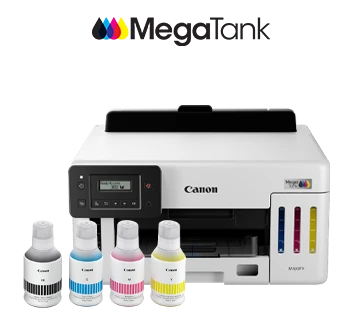 MAXIFY GX5170This product | 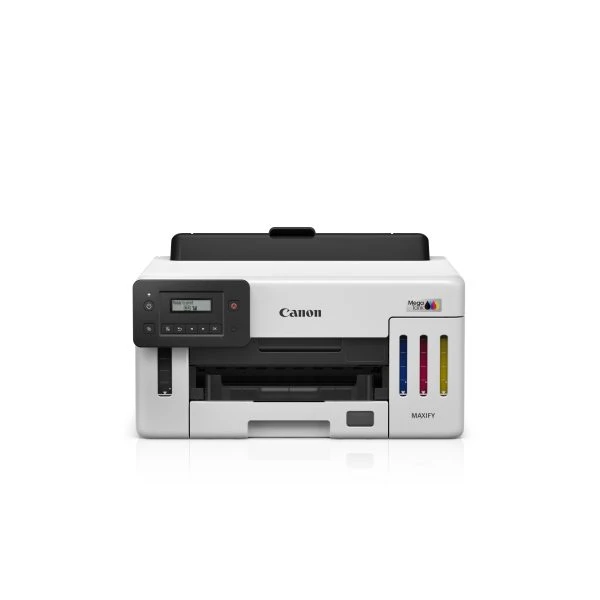 MAXIFY GX5170 | 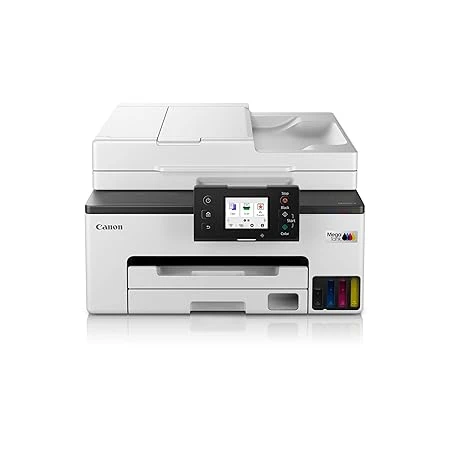 MAXIFY GX2070 | 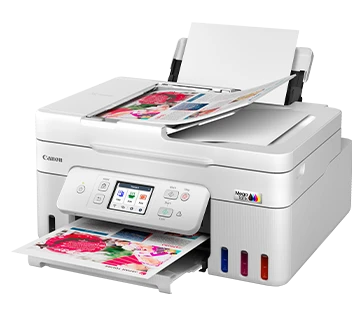 PIXMA G4780 | |
|---|---|---|---|---|
| Price | ₹31,641.00 | ₹25,313.00 | ₹26,620.00 | ₹23,596.00 · lowest |
| Rating | No reviews yet | No reviews yet | No reviews yet | No reviews yet |
| Availability | In stock | In stock | In stock | In stock |